AI Tools for Building Apps Without Writing Code
No-code and low-code tools have put software creation within reach of non-technical teams. AI has accelerated this further — you can now describe an app in plain language and have a working prototype in minutes.
How teams typically do this

Best AI tools to build apps without writing code
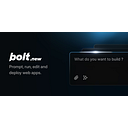
The most impressive AI app builder for fully functional web apps from a text description. Generates React and Node code, deploys instantly. The quality floor has risen dramatically in the past year.

The most capable no-code platform for building production-grade web apps. AI assistance for building workflows and logic, but the real power is in the flexibility of the visual builder.

The standard for internal tools and admin panels. AI-assisted component building and querying. The right choice when you need to connect to your own database and build something your team will use daily.
Prompts to get started
Write a precise spec that gives an AI builder enough context to produce a usable first version.
Help me write a clear spec for an internal tool I want to build.

What the tool should do: [describe in plain language]
Who will use it: [role, technical level, how often]
Data it needs to connect to: [databases, APIs, or manual input]
Key screens or views: [list the main pages or states]
Actions it should support: [what can users do? create, edit, delete, search, filter?]
What I don't need: [scope out complexity that isn't required v1]

Please write:
1. A one-paragraph tool description
2. A prioritised list of features for v1
3. A data model (tables, fields, relationships)
4. UI wireframe description for the main screen
5. The 3 most likely technical decisions I'll need to make
Understand where no-code will and won't work before committing.
Evaluate whether this can be built without code.

What I want to build: [describe]
Users: [who and how often]
Core features: [must-haves]
Data connections: [databases, external APIs]
Expected scale: [users, records, operations/day]
Budget: [monthly tool budget]

Please assess:
1. Can this be built no-code? Which tool(s)?
2. What parts would be difficult or impossible without code?
3. Risks: performance, limitations, vendor lock-in
4. Realistic timeline and effort
5. When would we outgrow no-code and need to rebuild?
Design your data structure before building in Airtable, Notion, or Glide.
Design a database schema for my no-code app.

Tool: [Airtable / Notion / Glide / Softr]
What the app does: [describe]
Main objects: [list — customers, orders, products, etc.]

For each object, what info do we track? [describe]

Please design:
1. Tables (one per object)
2. Fields with: name, type, and why needed
3. Relationships between tables
4. Computed fields (rollups, formulas)
5. Gotchas to watch for in [my tool] for this schema
Internal tools only get used if people understand how to use them.
Write user documentation for an internal tool.

Tool name and purpose: [describe]
Who uses it: [role, technical level, frequency]
Main workflows: [list 5-8 key tasks]
Common confusion points: [where users get stuck]
Format: [Notion / PDF / in-app help / video script]

Documentation covering:
1. What this tool is and why we use it (1 paragraph)
2. How to get access and log in
3. Step-by-step guide for each main workflow
4. FAQ for common confusion points
5. Who to contact if something breaks

Use clear headings, numbered steps, simple language.
Write a precise spec that gives an AI builder enough context to produce a usable first version.
Help me write a clear spec for an internal tool I want to build.

What the tool should do: [describe in plain language]
Who will use it: [role, technical level, how often]
Data it needs to connect to: [databases, APIs, or manual input]
Key screens or views: [list the main pages or states]
Actions it should support: [what can users do? create, edit, delete, search, filter?]
What I don't need: [scope out complexity that isn't required v1]

Please write:
1. A one-paragraph tool description
2. A prioritised list of features for v1
3. A data model (tables, fields, relationships)
4. UI wireframe description for the main screen
5. The 3 most likely technical decisions I'll need to make
Understand where no-code will and won't work before committing.
Evaluate whether this can be built without code.

What I want to build: [describe]
Users: [who and how often]
Core features: [must-haves]
Data connections: [databases, external APIs]
Expected scale: [users, records, operations/day]
Budget: [monthly tool budget]

Please assess:
1. Can this be built no-code? Which tool(s)?
2. What parts would be difficult or impossible without code?
3. Risks: performance, limitations, vendor lock-in
4. Realistic timeline and effort
5. When would we outgrow no-code and need to rebuild?
Design your data structure before building in Airtable, Notion, or Glide.
Design a database schema for my no-code app.

Tool: [Airtable / Notion / Glide / Softr]
What the app does: [describe]
Main objects: [list — customers, orders, products, etc.]

For each object, what info do we track? [describe]

Please design:
1. Tables (one per object)
2. Fields with: name, type, and why needed
3. Relationships between tables
4. Computed fields (rollups, formulas)
5. Gotchas to watch for in [my tool] for this schema
Internal tools only get used if people understand how to use them.
Write user documentation for an internal tool.

Tool name and purpose: [describe]
Who uses it: [role, technical level, frequency]
Main workflows: [list 5-8 key tasks]
Common confusion points: [where users get stuck]
Format: [Notion / PDF / in-app help / video script]

Documentation covering:
1. What this tool is and why we use it (1 paragraph)
2. How to get access and log in
3. Step-by-step guide for each main workflow
4. FAQ for common confusion points
5. Who to contact if something breaks

Use clear headings, numbered steps, simple language.